

Imagizing#
SIERRA's capabilities for imagizing (translating from Raw Output Data files into images) are detailed in this section. Imagize inputs are treated as snapshots of data over time, and after being be turned into image files in stage 3 they can be rendered into videos in stage 4 (see Rendering).
Requirements#
If Projects or Engines generate files within
the main.run_metrics_leaf (see Project YAML Configuration) directory
for each experimental run which meet the following criteria, then SIERRA can
turn them into images and render them:
The files reside in a subdirectory of
main.run_metrics_leaf.The files have a common stem with a unique numeric ID.
The stem of all files in the subdir of
main.run_metrics_leafis the same as the subdir name. For example, if the directory name wasfoobar/swarm-distributionundermain.run_metrics_leafthen all files within that directory must be named according tofoobar/swarm-distribution/swarm-distributionXXXXX.<ext>, whereXXXXXis any length numeric prefix (possibly preceded by an underscore or dash).<ext>is any extension supported by the currently selected storage plugin.The name of the subdir of
main.run_metrics_leafhas a corresponding entry ingraphs.yaml. This is to enable selective imagizing of graphs, so that you don't get bogged down if you want to capture imagizing data en masse, but only render some of it to videos later. See Graph Generation for details.
SIERRA can render data into either:
HeatmapsNetwork graphs
Important
Generating the images for each experiment does not happen automatically as
part of stage 3 because it can take a LONG time and is idempotent. You should
only pass --proc proc.imagize the first time you run stage 3 after
running stage 2.
Ordering Considerations#
Invokes proc.statistics internally unless
--imagize-no-stats
is passed. Placing it after an explicit proc.statistics in the chain without
that flag runs statistics twice.
Usage#
This plugin can be selected by adding proc.imagize to the list passed to
--proc.
This plugin creates <batchroot>/imagize when active. All images generated
during stage 3 accrue under this root directory. Each experiment will get their
own subdirectory in this root for their images. E.g.:
| -- <batchroot>
     |-- imagize
         |-- c1-exp0
         |-- c1-exp1
         |-- c1-exp2
         |-- c1-exp3
         ...
This plugin currently supports two different types of imagizing:
Imagizing from statistics data ->
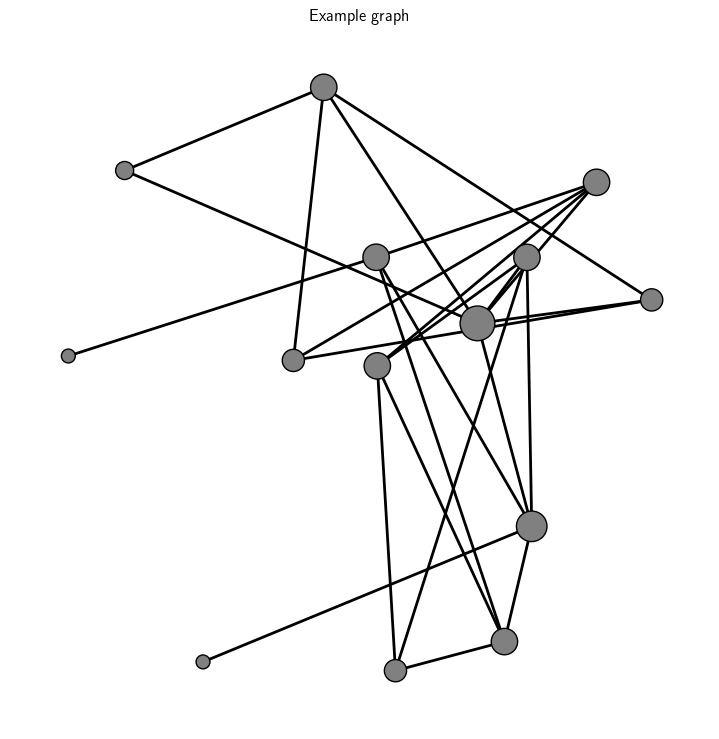
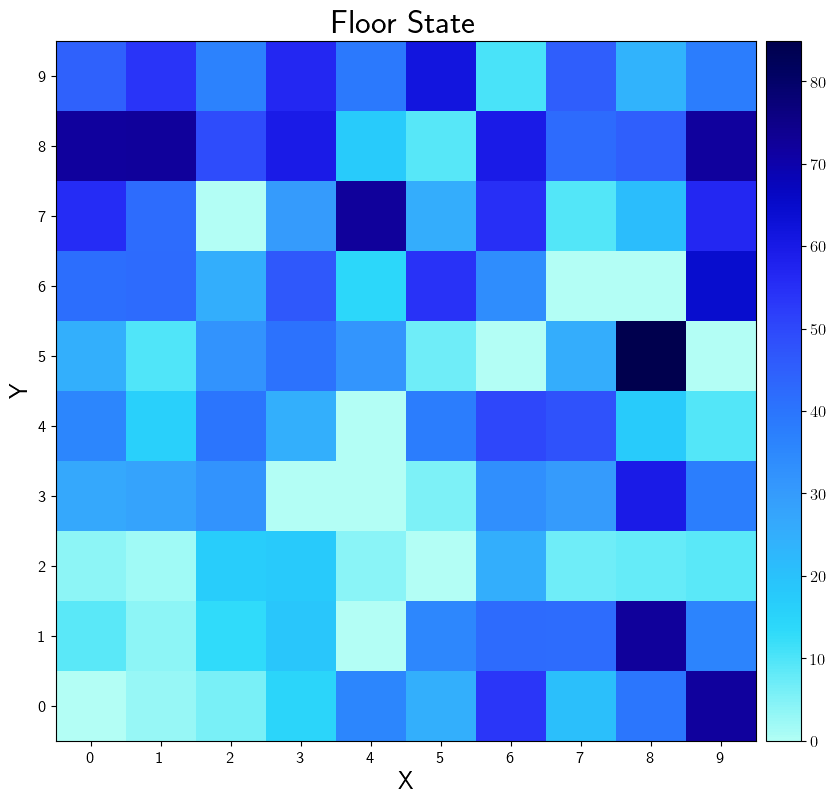
sierra.core.graphs.heatmap()at the level of Experiments from using a storage plugin which outputspd.DataFrameobjects. In this form, 1 graph is generated from e.g. each averaged data frame.Imagizing from GraphML data ->
sierra.core.graphs.network()at the level of Experimental Runs from using a storage plugin which outputsnx.Graphobjects. In this form 1 graph is generated for each.grapmlfile output from each experimental run, which can be a lot!
Cmdline Interface#
sierra - CLI interface#
sierra [--imagize-no-stats]
sierra Stage 3 options#
Options for processing experiment results
If the
proc.imagizeplugin is run, don't run statistics generation/assume it has already been run. This can save TONS of time for:Large imagizing workloads
Workloads where the memory limitations of the SIERRA host machine are such that you need to specify different levels of
--processing-parallelismfor statistics calculations/imagizing to avoid filling up memory.Workloads where you don``'t want stats/stats don'``t make sense.
Examples#
Source file |
Image |
Description |
|---|---|---|
|
Generated GraphML from the YAMLSIM sample project. |
|
|
Captured .csv file representing the state of the arena floor, cell-by-cell, in the ARGoS sample project. |